How-tos
How to make a product video ad with AI, from one photo
A step-by-step guide for small brands: one product photo, a clean hero image, a few short clips, a voice and a soundtrack, cut and exported for every feed.
Before you start: one photo and a three-shot plan
You need one clear photo: daylight, straight on, label readable, nothing else in the frame. A phone photo is fine. Reference pictures can be 300 to 6,000 pixels on each side, and a larger phone photo is shrunk to fit rather than refused.
Then write the ad as three shots, one job each:
- Hook (0 to 3 seconds). A problem the viewer recognises at once. Not your logo.
- Product in use (3 to 10 seconds). Hands and action: what does it do?
- Payoff (10 to 15 seconds). The result, the product, your brand name and one offer.
- 1Photo
One daylight photo of the real product.
- 2Hero image
Image studio edit model: same product, new surface and light.
- 3Clips
Video Studio image-to-video, one clip per shot.
- 4Sound
Voiceover, music and effects in Audio.
- 5Edit
Video Editor: order, trim, text, one offer.
- 6Export
9:16 for Reels and Shorts, 1:1 or 4:5 for the feed.
Step 1: make a clean hero image in the Image studio
A text-to-image model invents its own bottle and label. Customers must get what they see, so start from your photo. In the Image studio, upload it and pick an edit model: Seedream 5.5 Edit takes up to 10 pictures as references, and GPT Image 2.6 Sunburst Edit renders at 1K, 2K or 4K. Our Seedream 5.5 vs GPT Image 2.6 brand test shows how well each kept one product the same over six rounds.
Keep the product from the reference photo exactly the same: shape, label, colours and all text. Place it on a dark sheesham wood board, raw green mangoes and a small brass bowl of mustard seeds behind it, soft warm window light from the left, gentle shadow under the product, shallow depth of field, square product photo.
- Check the label letter by letter. If one character changed, run it again.
- Make it in the ad's shape. Seedance 2.5 image-to-video takes its shape from your picture, so a 9:16 hero image gives a 9:16 clip.
- Leave room for text above and below the product.
- Several angles? A product sheet, under Reference sheets, takes up to six photos (front, back, side, detail, open, worn) and makes one sheet to reuse as a reference.
More on the image models: AI image generator.
Step 2: turn the hero image into clips in Video Studio
Make each shot as its own short clip; one bad 5-second shot is cheaper to fix than a 15-second take. Video Studio gives you two ways in:
- Image-to-video: your hero image is the first frame and the model adds motion. Best for the pack shot and payoff.
- Reference-to-video: you attach pictures as references and describe a new scene. Best for the use shot.
| Seedance 2.5 | Seedance 2.0 | |
|---|---|---|
| Clip length | 5 to 30 seconds | 5 to 15 seconds |
| Shapes | 16:9, 9:16, 1:1 | 16:9, 9:16, 1:1 |
| Sizes | 480p to 4K | 480p to 4K |
| Reference pictures | Up to 30 | Up to 9 |
| Sound | Made with the clip | Made with the clip |
| Test run | 480p draft, finish later | None |
Test the hook and the use shot as 480p drafts, then finish only the takes you like. Which AI video model for which job compares the models, the Seedance 2.5 prompt guide covers prompts, and the AI video generator page lists them all.
The shortcut: Marketing Studio
Marketing Studio runs a whole ad workflow from one product photo and a short brief. Paste your product page link and press Read page to fill both in, free. Photos can be up to 10 MB.
| Workflow | What it makes | Length | Default shape |
|---|---|---|---|
| Oye UGC Ad | Creator-style recommendation, before and after, or unboxing | 4 to 15 s | 9:16 |
| Oye TVC | A polished multi-shot commercial | 4 to 30 s | 16:9 |
| Oye Food Motion | Motion video from a food or drink photo | 4 to 15 s | 9:16 |
| Oye Ad Images | Hero shots, detail pages or promo posters | Stills, up to 4 | 1:1 |
Each workflow also offers 16:9, 9:16, 1:1, 3:4 and 4:3. The page quotes the price before you press Generate, and if it rises in between, the run stops and asks you to confirm.
A worked example from our own ad
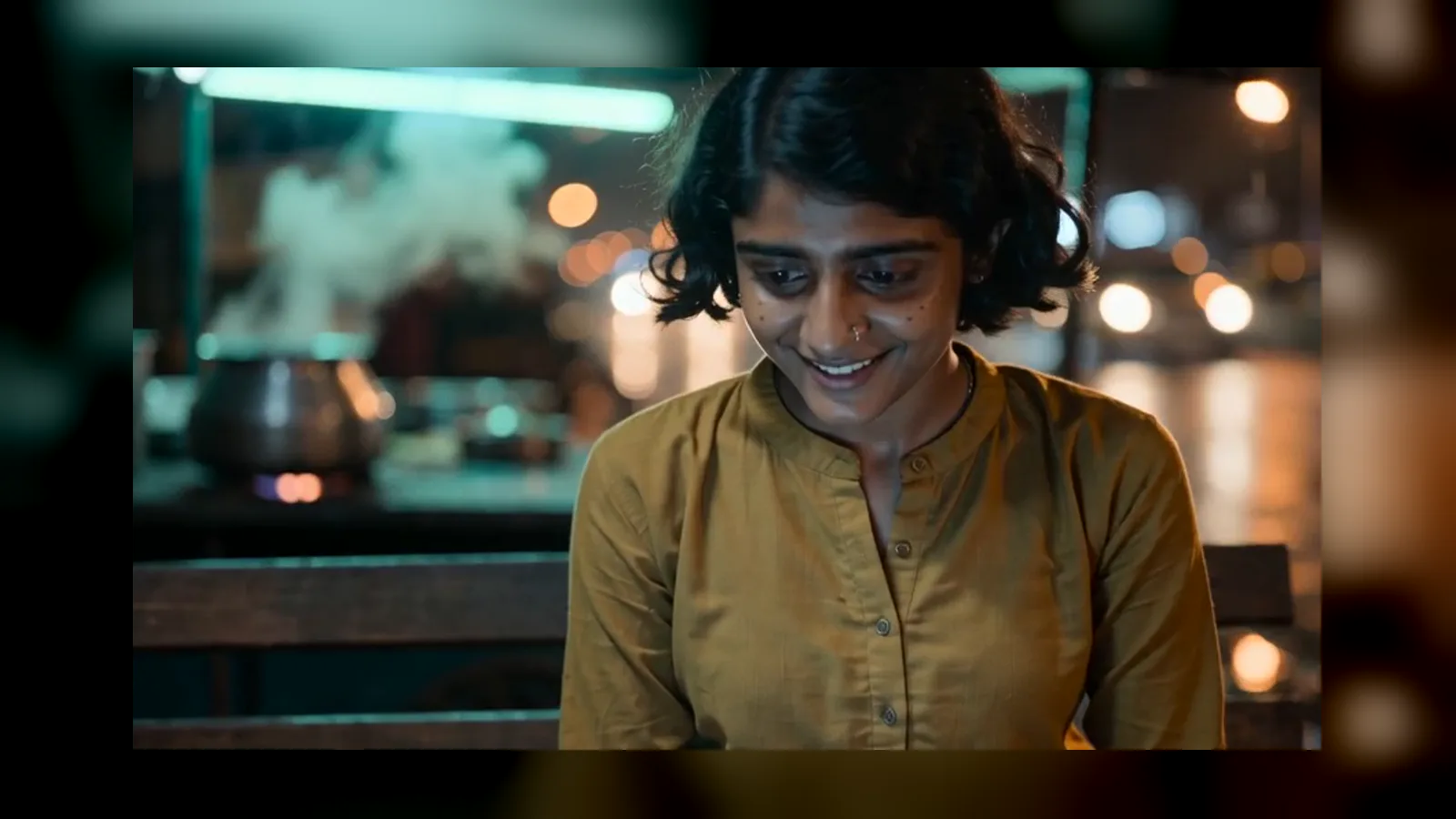
Here is one shot from our own 60-second brand ad. It is a character at a chai stall, not a product, but the problem is yours too: what is in the reference must come out exactly like the reference. Our reference was one image holding two frames of her, a fictional, AI-made character.
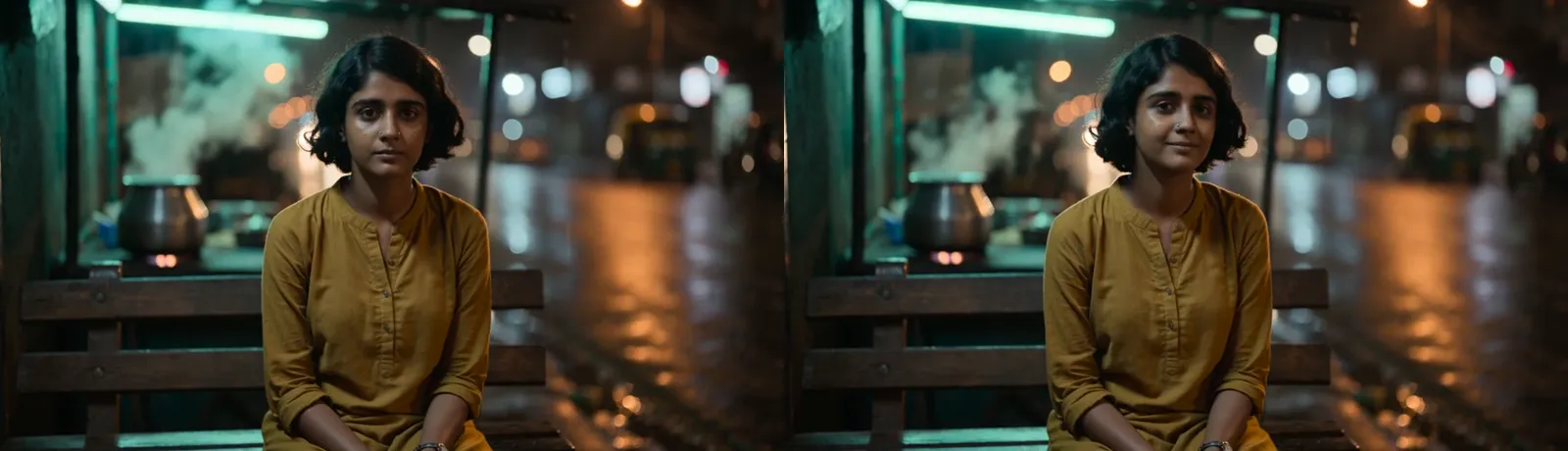
A small roadside chai stall in Mumbai at 1:40 at night just after rain: wet shining road, one tube light with a faint green tint, warm sodium streetlight behind, steam rising from a steel kettle, two worn wooden benches, small chai glasses. Slow push-in to a close-up of Meera, the woman in @image1 (keep her face, short curly black hair, nose stud, dusky skin, mustard kurta with rolled sleeves and silver watch exactly as in the reference; the reference shows this one person twice, there is only one of them), lit by her laptop, light rain starting to fall again behind her and catching the streetlight. She watches her screen, and a small private smile grows as something works. She breathes out and nods to herself. She does not speak. Exactly one person in frame. Sound: soft rain, tabla and bass pulse, a solo sarangi playing a slow four-note tune. Shot on ARRI Alexa 35 with a 50mm lens, shallow depth of field, natural available light only, shoulder-held documentary camera, real skin texture with pores, natural film grain, realistic motion blur, real location, natural unposed acting, no AI look, no text on screen, no subtitles, no logos, laptop screens are never readable, 16:9.
Four habits in that prompt carry straight over to a product:
- List what must not change: "keep the bottle, cap, label and every word exactly as in the reference".
- Say how many there are. We wrote "exactly one person in frame". Write "one bottle only".
- Describe the sound: a lid popping, oil sizzling.
- Keep text out of the picture ("no text on screen, no logos"). Add brand and offer in the editor, where they stay sharp.
The final camera-and-light sentence was pasted under every shot of the ad, so the shots share one look. Do the same with your surface and light.
Step 3: add a voice, music and sound effects
- Voiceover at /audio/voiceover: paste the script and pick a voice. Fifteen to twenty seconds holds 40 to 50 spoken words.
- Music at /audio/music: describe mood and tempo. The Studio Music engine makes 10 seconds to 5 minutes, instrumental or with lyrics.
- Sound effects at /audio/sfx: a cap clicking, a lid popping, up to 30 seconds each.
A generated mouth will not match a separate voiceover exactly, so favour shots of hands and product.
Step 4: cut it in the Video Editor
Open the Video Editor in the shape you need: 16:9, 9:16, 1:1, 4:5, 4:3 or 21:9.
- Lay the clips in order: hook, use, payoff.
- Trim each to start on the action.
- Use straight cuts; one soft transition into the pack shot is plenty.
- Add the hook line, one benefit, then brand name and one offer.
- If a presenter is AI-made, say so on screen.
- Lay music under the voice and export.
Anyone can open the editor; editing comes with plans from ₹1,499 a month and the student plan. Exports are MP4, MOV, WebM or GIF at 720p, 1080p, 1440p or 4K, up to 10 minutes (3 at 4K).
One clip nearly right but with a stray object? Live Edit changes one thing in a clip and leaves the rest.
Step 5: export for Reels, Shorts and the feed
A 9:16 shot does not crop cleanly into a square, so keep the product centred in every prompt.
| Where it runs | Shape | Make the clips at | Export size |
|---|---|---|---|
| Instagram Reels, YouTube Shorts, Stories | 9:16 | 9:16 | 1080 × 1920 |
| Instagram and Facebook feed | 4:5 | 9:16 or 1:1, then reframe | 1080 × 1350 |
| Square feed, marketplace listings | 1:1 | 1:1 | 1080 × 1080 |
| YouTube, your website | 16:9 | 16:9 | 1920 × 1080 |
For 4:5, or to turn a 16:9 clip vertical, use the auto reframe: Fast Reframe crops or pads exactly and is free, Smart Reframe follows your subject, and the Reframe Neo engines paint in new picture around the shot.
Before posting, watch it on a phone with the sound off: are the product and offer clear? Then make a second version that changes one thing, the hook or the offer, and see which works.
Questions
Can I make a product video ad from just one photo?
Yes. Make a hero image from it in the Image studio, then animate it with image-to-video in Video Studio. Or give the photo to Marketing Studio.
How long should a product video ad be?
Fifteen seconds in three shots works for Reels and Shorts. Seedance 2.5 clips and Oye TVC commercials go up to 30 seconds.
What size is a Reels or Shorts ad?
Vertical 9:16. The Video Editor exports it at 1080 × 1920 on its 1080p tier.
Will the AI change my product's label?
It can. Use your photo with an edit model, tell it to keep the label exactly, and compare every output with the real pack.
How much does an AI product video cost on OyeFilmy?
It depends on the model, length and size. Every studio shows the price before you run, and a failed generation is refunded.
Can I use an AI presenter in my ad?
Yes, honestly: a fictional person or your own face, labelled as AI, and never claiming results, which would be a made-up review.
Make your first product ad
Start with one photo in the Image studio, then bring it to life in Video Studio.