

How-tos
From script to short drama with AI: how Drama Studio keeps characters consistent
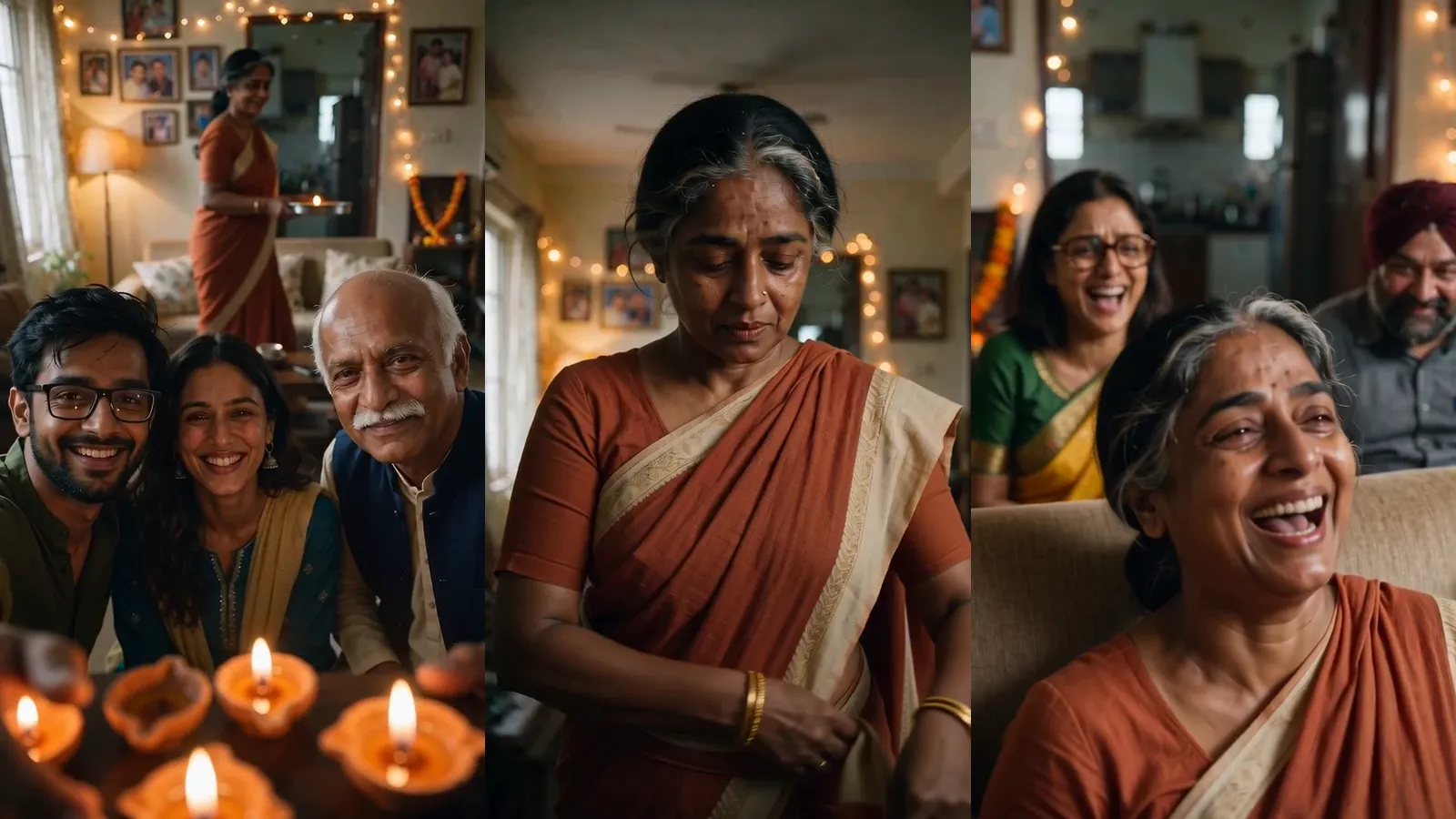
A step-by-step look at Drama Studio, from a pasted script to a cut episode, with frames from a short film we made in it.
What Drama Studio is for
One good AI clip is easy now. Twelve clips that look like the same film are hard. The heroine's face drifts, the living room changes shape, and the voice changes between shots.
Drama Studio is built around that problem, and it is open to every account. It keeps a list of who and what is in your story and carries the same pictures and voices into every shot. It renders with the Seedance models from our AI video generator: Seedance 2.0, 2.5, 2.0 Fast and 2.0 Mini.
- Agent mode: upload or paste a script; the studio splits it into episodes and writes the storyboard.
- Manual mode: no script; you add episodes, roles, scenes, props and shots yourself.
- AI Short Drama has characters speaking on screen. AI Commentary Drama has one narrator over the pictures.
You also pick the frame (16:9, 9:16, 4:3, 3:4 or 21:9), the resolution (480p, 720p, or 1080p on Seedance 2.0 and 2.5), the picture model and a style: one of 13 built-in looks, from realistic to 2D and 3D animation, or your own description of up to 300 characters. Style and frame are fixed once the project exists.
The workflow, step by step
- 1New project
Mode, drama type, frame, video model, resolution and style.
- 2Script
Read in four steps: plot, episodes, summaries, roles and scenes.
- 3Roles and scenes
A picture for every role, scene and prop; looks and voices for roles.
- 4Storyboard
Shots per episode, with references, spoken lines and a length.
- 5Takes
One to four videos per shot. Star the one you want.
- 6Videos
Play the starred takes in order, download, or open in the Video Editor.
1. The script
Upload a .txt, .md, .docx or .pdf file (up to 20 MB and 100,000 characters), paste text, or start from the sample. An old .doc file is refused; save it as .docx.
The studio reads a fixed layout: a title in 《 》 marks, "Episode N" lines, numbered scenes with place and time, a Characters line, action lines, and dialogue as Name (Emotion): words. A script in this layout is cut exactly as written; anything else is rewritten into it first. The page lists what your script is missing.
《Tonight, You Are the Guest》

Episode 1: The Doorbell

1-1 Night INT. Family Living Room
Characters: Sunita, Arjun
△ Sunita ties up her hair and heads for the kitchen. The doorbell rings.
Sunita (Puzzled): Who comes at this hour?
Arjun (Grinning): Someone to cook. Tonight you sit down.
"Read the script" shows its price, then runs four steps with live progress. Afterwards you can edit the title, outline, character bios and each episode's title and summary.
2. Roles, scenes and props
Each role, scene and prop gets one picture, generated in the project's style or picked from your Library. A role's picture is a character sheet: a full-body front view and a head-and-shoulders close-up on plain grey. A scene is an empty view of the place; a prop is one object on a plain background.
A role can have up to eight extra looks, such as a uniform. Each is drawn from the main picture, so the face stays and only the clothes change, the same idea as our consistent character generator. Each role also gets a voice, designed from a description or uploaded as a recording.
3. The storyboard
The agent writes one episode's shots at a time, in a shot style you pick: cinematic, fast cut or dialogue-led. Type @ in a shot's prompt to link a role, scene, prop or look; shots the agent writes are linked for you. A shot is 4 to 15 seconds on Seedance 2.0, Fast and Mini, and 4 to 30 on 2.5.
4. Takes
Generate makes one to four takes, with the price on the button. A take can be upscaled (up to 4K), edited with a prompt, or extended forward or backward. Each makes a new take and keeps the old one. For fixes after the cut, see how Live Edit changes a clip without a reshoot.
How the studio keeps characters consistent
There is no single trick, just a few rules the code enforces:
- One picture per role, every time. A shot that names a role sends that role's picture, or the look's picture if it names a look.
- One style sentence. Every picture and shot prompt starts with the same style text, character for character, and it cannot be edited later.
- A legend. The prompt tells the model which picture is which person, then asks it to keep each one exactly as in its reference.
- One set per place. Scenes are pictures too, so a room in ten shots is the same room.
Photorealistic cinematic look, anamorphic lens, shallow depth of field, motivated film lighting, gentle film grain.
References: @image1 is Sunita; @image2 is Chef; @image3 is Kitchen (the location); @audio1 is Chef saying “Tonight, you are the guest.”, in sync with their lips. Keep each one exactly as in its reference.
Sunita reaches for the ladle. The chef takes it first and smiles.
All of that counts towards the prompt limit: 2,200 characters on the 2.0 family and 4,000 on 2.5. A longer prompt is refused before the video is charged. Our Seedance 2.5 prompt guide covers how to use those characters.
Voices and lip-synced dialogue
A shot's lines go in their own box, up to six, as Name (emotion): words. A line with no name is the narrator's.
On Generate, the studio records each line in the speaker's voice and sends that recording as the shot's audio; the model moves the lips to it. A line shorter than 2.3 seconds is padded, because the model refuses audio under 2 seconds. Recordings stay on the shot, so another take does not pay for them again.
The studio also measures where the speech ends. If the words would run past the end of the shot, the take is refused before the video is charged, with the length the shot needs.
What each step costs
There are no separate points. Each step is charged from your credits at the platform's usual price for that model and setting, shown on the button first.
| Step | You get | How it is charged |
|---|---|---|
| Read the script | Outline, bios, episodes, summaries, roles, scenes, props | Three language-model calls, plus one per 14,000 characters if rewritten into the layout. Refunded if a step fails. |
| Pictures and looks | A picture per role, scene and prop | The picture model's price. Refunded if it fails. |
| Designed voice | A voice from your description | Voice Design's price. |
| Storyboard | One episode's shots | One language-model call. Refunded if no shots come back. |
| Spoken lines | Each line in its speaker's voice | By length of text, once per line. |
| Takes | One to four videos per shot | The video model's price for resolution and length. Refunded if it fails. |
| Upscale, edit, extend | A new take | That job's price, shown first. |
The coin button in the top bar shows the project's spend so far. The video model is the biggest cost choice; our comparison of AI video models can help.
A worked example: a 58-second spec film
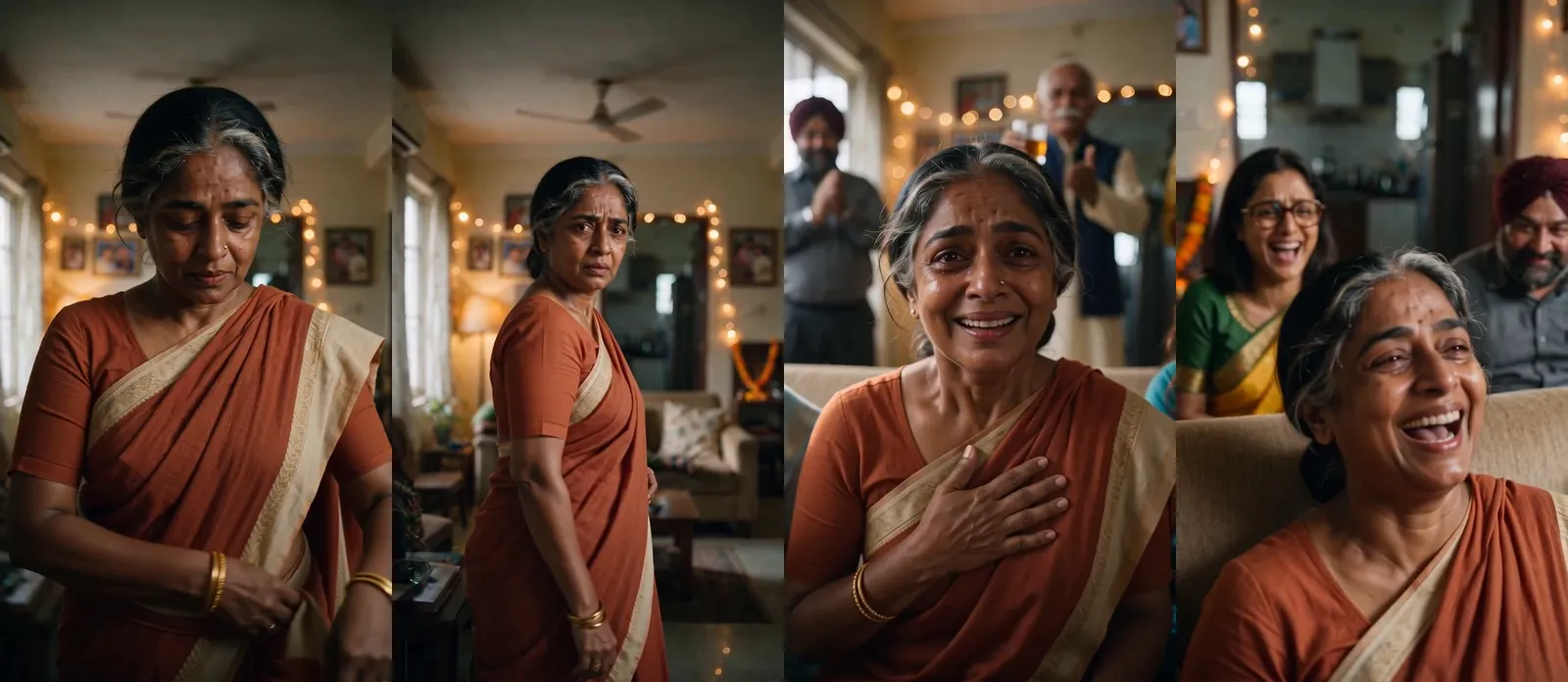
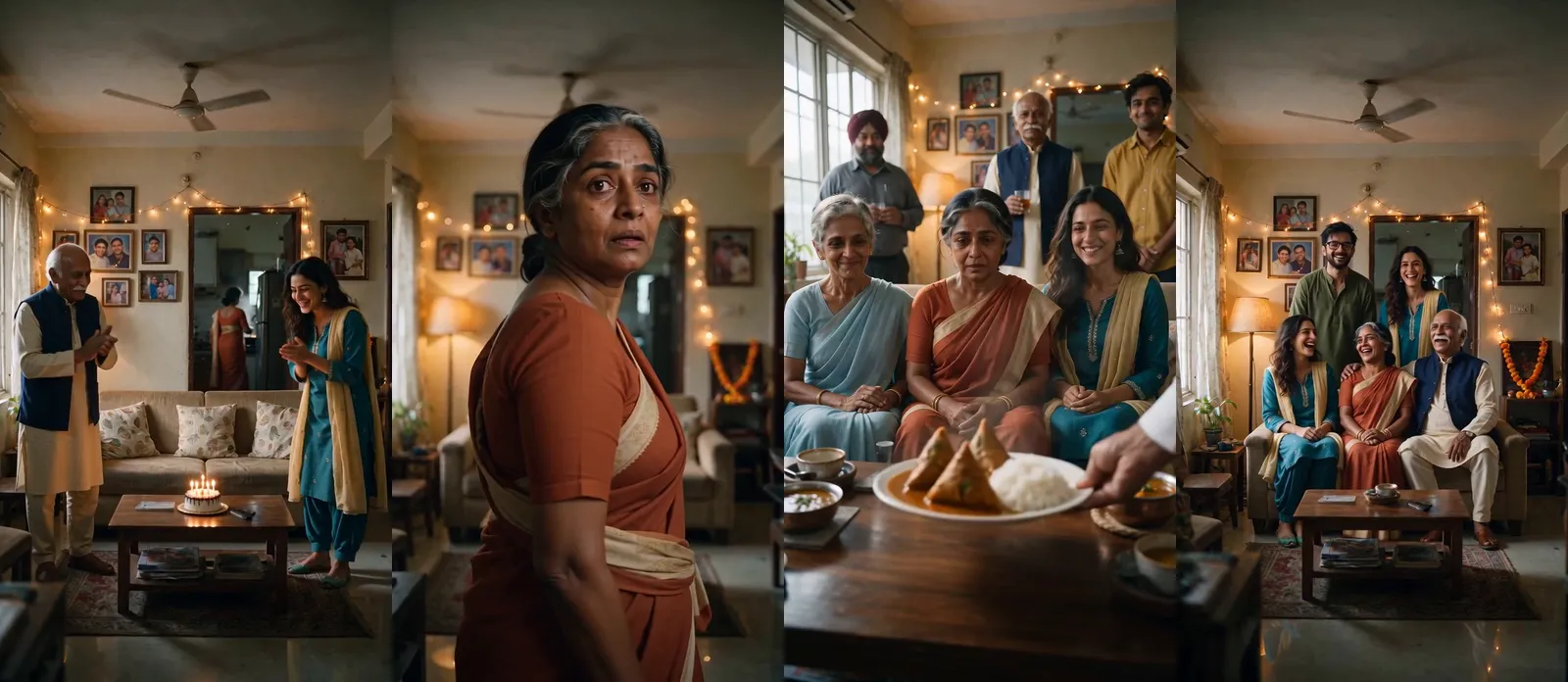
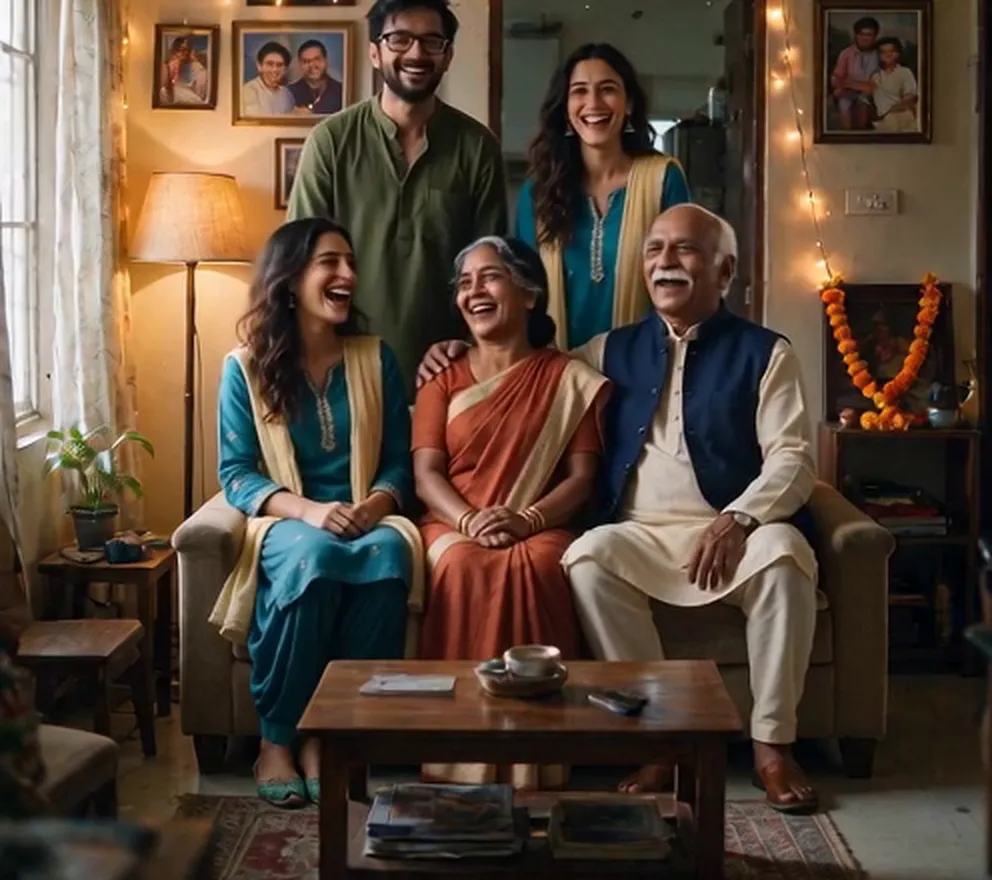
Our story: a woman who has hosted every family party from the kitchen is, for one evening, a guest at her own table, because her son booked a chef. It was a manual project with 10 roles, 3 scenes, the logo as a prop and 13 shots, on Seedance 2.0 at 480p in 9:16.
- Thirteen reference pictures: ten cast members and three locations, made from text with Seedream 5.0 Pro.
- No children: the video model is strict about realistic minors, so the story has none.
- Retakes: the family photograph needed four more takes; the model refused two, and both were refunded.
- A fix to the studio: at first, a voice sample attached to a shot became its speech track. The studio now sends each line recorded in the speaker's voice.
- The cut: music, end cards and an English dub of the chef's two lines were added in the edit, so nothing was reshot. The film runs 58.6 seconds at 1080×1920.
Limits to know before you start
- Crowds. Shots with four or more people can draw one twice. Frame tighter, or say each person appears only once.
- Realistic faces. On some routes the model refuses a photoreal face unless that AI-made person is in a face library. The studio registers role pictures it made from text; an uploaded picture you register yourself on the Portrait verification page.
- References. Per shot, the 2.0 family takes up to 9 pictures, 3 audio clips (15 seconds) and 3 clips; 2.5 takes 30, 10 (30 seconds) and 10.
- Size. Up to 120 episodes, 80 shots per episode and 80 roles, scenes and props. Summaries are written for the first twelve episodes only.
- Refusals. The model can refuse a take for its own reasons. You get the credits back, not the time.
Questions
Can I make an AI drama without a script?
Yes. Choose Manual mode and add the episodes, roles, scenes and shots yourself.
How does it keep a character looking the same?
One reference picture per role, sent with every shot, and one style sentence on every prompt. Looks are drawn from the main picture. Crowded shots can still duplicate a person.
Can the characters speak Hindi?
Yes. Each line is recorded in the speaker's voice and lip-synced. We have checked English and Hindi lines by their transcripts.
Which video models can I use?
Seedance 2.0, 2.5, 2.0 Fast and 2.0 Mini, at 480p or 720p; 1080p on 2.0 and 2.5.
How much does a short drama cost?
It depends on model, resolution, shot lengths and takes. Every step shows its price before it runs, and failed runs are refunded.
Make your first episode
Paste a scene or start from the sample script, and see your cast before you spend on video.